01BOOKING FLOW
Booking and payments
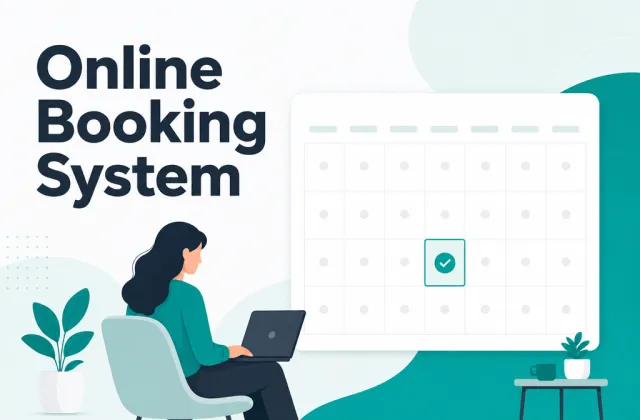
Let customers choose a time and pay a deposit while every booking stays connected to their profile, package and payment history.
- Self-service booking and reminders
- Deposits, packages and customer records

MODULAR CLIENT CRM · MCP
Start with a clean $0 client CRM—contacts, deals, tasks and timeline in one record. Snap in Simply Booking, Memberships & Session Packs, or Official WhatsApp only when you need them.
Connect Claude, ChatGPT or Cursor with scoped permissions—and keep sensitive actions behind Approval Guard.
Starter $0 forever · Simply Booking $20/mo ($200/yr) · No card at signup
Today’s operationsSCOPED OAUTH 2.1 · APPROVAL GUARD
Grant read-only or module-specific scopes per AI client and revoke in one click.
Summarises client history, drafts follow-ups and proposes updates without guessing.
Enable Approval Guard so outbound messages, discounts and sensitive writes wait for you.
Choose read-only or write-scoped OAuth 2.1 access, enable Approval Guard for sensitive changes, and review every action in the audit trail.
01 / ONE RECORD
Every booking, payment, message and next step stays with one customer record. Your team no longer has to follow up from memory.
WhatsApp and form enquiries connect to the right customer profile.
Customers choose a time and pay a deposit; packages and history update.
Expiry, no-response and balance signals trigger useful follow-up.
Revenue, bookings, return visits and tasks share one operations view.
02 / FEATURE MODULES
Booking, WhatsApp and AI work coordination share one customer record. Enable the module you need first, then add more without moving data.
Let customers choose a time and pay a deposit while every booking stays connected to their profile, package and payment history.
Connect enquiries, reminders, campaigns and next steps to customer records instead of switching between chats and spreadsheets.
AI organises customer context, drafts replies and prepares next steps; people approve important messages, discounts and refunds.
SEE IT RUN
Pick a module and watch it work. Four steps play on their own, or step through them yourself.
Deep care · 60 min · Main studio
Deposit and cancellation terms shown before you book
ContinueBooking confirmed
Receipt and reminder are on their way
19:05 · System · booking, payment and package written to one record
Hi Ms Chan, a reminder that your deep care session is tomorrow at 19:00, at our main studio.
Next · the visit counts against the package and triggers follow-up
Customer's phone
Module 01 · Booking flow
No more reconciling WhatsApp, a notebook and a spreadsheet.
Customers pick a slot themselves and see live availability
Every thread stays tied to a customer record · Official API
Any slots tonight? Same as last time please.09:28
Auto-matched
Any slots tonight? Same as last time please.09:28
Hi Ms Chan, 19:00 is free tonight. You have 4 sessions left, so this one comes off the package. Shall I hold itAI draft · needs approval
Any slots tonight? Same as last time please.09:28
Hi Ms Chan, 19:00 is free tonight. You have 4 sessions left, so this one comes off the package. Shall I hold it09:32✓✓
Written back to the record · Message · time · sender
09:32 · Ada approved · 1 message sent
Owner's phone
Module 02 · Customer messaging
Official WhatsApp API, one shared inbox for the whole team.
WhatsApp enquiries land in the shared inbox, nothing slips
AI is organising today
Reads only your records, policies and permissions
Hi Ms Chan, you have 4 sessions left and they expire in 14 days. Renewing keeps the balance — shall I set it up?
18 messages sent
Each one linked back to its own customer record
09:41 · Ada approved · 18 messages sent
Owner's phone
Module 03 · Work coordination
With Approval Guard enabled, sensitive messages, discounts and refunds wait for your approval.
AI reads only your own customer records — it never invents
01 · Pick a time
MODULAR ARCHITECTURE · ZERO MIGRATION
SWITCH IN 3 MINUTES
03 / HOW SERVICE TEAMS OPERATE
From rescheduling and package balances to WhatsApp reminders, payment records and human approvals, each workflow reflects how service teams actually work.
Organise customer context, draft replies and suggest the next step.
Outbound messages, discounts and refunds can require human confirmation.
See who did what and when in the audit trail.
04 / AI & MCP VAULT
Stop pasting client spreadsheets into chat windows. Connect your AI assistant directly via OAuth 2.1 Model Context Protocol—scoped to exact modules, backed by Approval Guard and an audit log.
https://mcp.favcrm.io/mcp/oauth/viewcontacts:read · deals:read · bookings:readZero write or outbound permissions granted
“Summarise every client booked tomorrow with open follow-up notes or low session balances.”
https://mcp.favcrm.io/mcp/oauth/crmcontacts:read · deals:write · tasks:writeOutbound messages, discounts & sensitive writes require your approval
“Create Monday follow-up tasks for 6 stalled proposals and draft personalised check-ins.”
https://mcp.favcrm.io/mcp/oauth/manageservices:read · availability:read · bookings:writeEnforces availability rules and logs every booking change
“Check open 60-minute slots this Thursday afternoon and hold 15:00 for Alex Rivera.”
05 / PRICING, TOOLS & COMPARISONS
US$0 forever · no credit card
Contacts, deals, follow-up tasks, CSV/Calendly import and Read-Only MCP.
Start free →US$20 / mo · US$200 / yr (2 months free)
Branded Client Portal, guest booking, 3 staff accounts & Booking MCP.
Start 1-month trial →US$29 / mo · US$290 / yr (2 months free)
Bookings + Memberships & Session Packs + Official WhatsApp + Approval Guard.
Start free on Pro →04 / PRACTICAL GUIDES
From booking and WhatsApp to customer retention—practical guidance for Hong Kong service teams.
View all guidesVenues & access
Customer retention
Booking & payments
05 / FAQ
FavCRM is designed for service businesses that manage bookings, memberships or packages, WhatsApp conversations and payments—including beauty, wellness, fitness, education and professional services.
Yes. FavCRM uses the official WhatsApp Business API so your team can handle conversations, reminders, campaign drafts and follow-ups in the same customer record.
You control the approval rules. AI can organise data, draft replies and prepare next steps, while sensitive messages, discounts and refunds can require human confirmation.
Yes. Open a Starter ($0 forever) client CRM workspace immediately, or start a 1-month free trial of Simply Booking (US$20/month or US$200/year—2 months free) with no card at signup. Upgrade to FavCRM Pro (US$29/month or US$290/year) anytime in settings.
Yes. Core CRM, Simply Booking, Memberships & Session Packs, Official WhatsApp and MCP share the same client record, so adding modules later requires zero data migration.
START FREE / ADD MODULES WHEN READY