AI work coordination / 7 min read
AI Booking Systems: What They Do and How to Choose One
Understand what makes a booking system genuinely AI-assisted, which workflows matter, what still needs human approval and how to compare practical options.
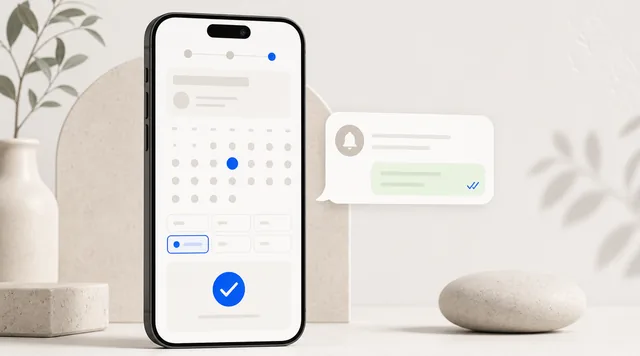
“Booking system” can mean anything from a form and a calendar to a platform that coordinates several locations. An AI booking system should still get the basics right. AI is useful only after availability, booking rules and customer records are reliable.
What every booking system must do
Before comparing AI features, check the operational foundation:
- Self-service booking: customers can choose a valid service and time from a phone.
- Live availability: existing bookings, service duration, staff and buffers are reflected correctly.
- Clear policies: cancellation and rescheduling rules are visible before confirmation.
- Payments when required: the business can ask for a deposit or full payment.
- Confirmations and reminders: customers receive the details they need through a suitable channel.
- Connected customer records: each booking contributes to a history the business can use later.
If these rules are unreliable, AI will only make the mistake happen faster.
What makes it AI-assisted?
A traditional booking system records an appointment and sends scheduled reminders. An AI-assisted system can also prepare work using the booking and customer context.
Useful examples include:
- summarising a new enquiry and suggesting the correct service;
- drafting a reply using real availability and business policy;
- identifying customers whose package is nearly used or who have not returned;
- preparing follow-up after a cancellation or missed appointment;
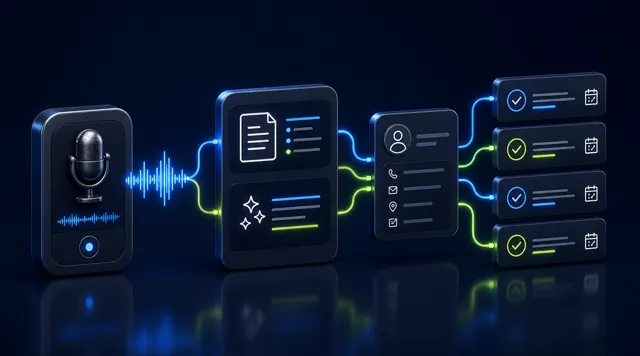
- turning meeting or conversation notes into tasks;
- surfacing exceptions that need a person to decide.
The meaningful difference is not a chatbot floating above the calendar. It is whether the system can connect customer context, operational rules and the next action.
Where human approval still matters
AI can safely prepare many routine tasks, but the business should decide which actions need review.
| Workflow | AI can prepare | A person should control |
|---|---|---|
| New enquiry | Summarise needs and draft reply | Unusual promises or exceptions |
| Reminder | Fill in booking details | Policy changes or sensitive wording |
| Cancellation | Suggest valid options | Fee waivers and disputes |
| Retention | Identify a relevant segment and draft message | Discounts and campaign approval |
| Refund | Gather booking and payment context | Final decision and amount |
Look for an approval trail that shows what was suggested, what changed, who approved it and what was eventually sent.
Choose by workflow, not by the AI label
Solo service providers
Prioritise a short booking flow, deposits, simple availability, useful reminders and an owned customer list. AI should reduce repeated admin, not add a complicated control panel.
Salons, clinics and tutoring teams
Look for staff calendars, service-to-staff rules, packages, customer notes and role-based access. The system should make handovers clear when more than one person speaks with the customer.
Venues and resource booking
Check whether the product understands rooms, courts or equipment as limited resources. Capacity, turnaround buffers, membership access and payment rules matter more than generic conversational AI.
Multi-location operations
Confirm location-specific hours, staff, services and reporting. Also test how the system handles a customer who uses more than one branch.
A practical demo checklist
Ask the supplier to run one real scenario from beginning to end:
- A new customer asks a question in WhatsApp.
- The system identifies the relevant service and valid time slots.
- The customer books and pays a deposit.
- The booking appears in the correct customer record.
- A reminder is prepared and sent under the right rules.
- The customer asks to change the appointment.
- The team can see what the AI did and where approval was required.
Also ask what happens when information is missing. A trustworthy system should stop, ask or escalate—not invent availability or policy.
Common buying mistakes
Buying the demo instead of the workflow
A fluent chatbot can look impressive while the booking calendar still allows the wrong staff member, duration or location. Test the underlying rule first.
Separating bookings from the customer record
If the calendar, payment, messages and package history live in different tools, AI has incomplete context. Integration claims should be demonstrated with a real customer record.
Automating exceptions too early
Start with predictable work such as confirmations, reminders and summary preparation. Keep refunds, complaints, unusual discounts and policy exceptions behind approval.
Ignoring ownership and export
Ask who owns the customer list and how to export bookings, contacts and messages. The system should help build a business asset, not create another lock-in.
A sensible starting point
Begin with the smallest end-to-end workflow that regularly wastes time. For many service businesses, that is:
- enquiry;
- valid availability;
- confirmed booking and payment;
- reminder;
- customer record;
- relevant follow-up.
Once that workflow is accurate, add AI preparation and approval in places where it genuinely saves attention.
FavCRM connects booking and payments, WhatsApp customer follow-up and AI work coordination around one customer record. Book a demonstration to test the workflow with your services and policies.