Venues & access / 8 min read
Hong Kong Pickleball Courts: QR Booking and Door Scan
Staff-light pickleball in Hong Kong: the wall QR is for booking; after confirmation, players scan themselves in from 15 minutes before start until 30 minutes after. We install the scanner on the door front.
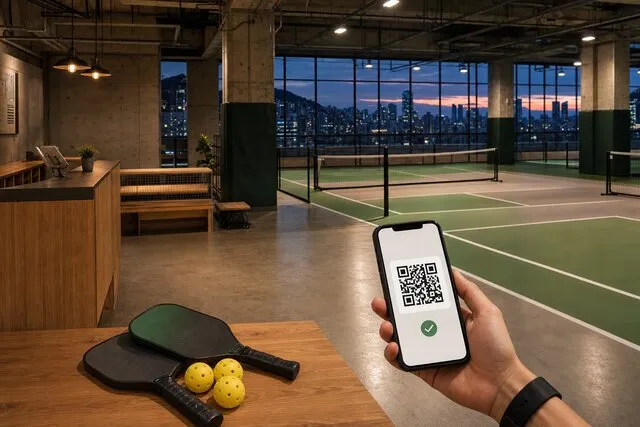
A pickleball venue does not become self-service simply because a QR code is fixed beside the court. That wall code only opens the booking page. Whether a player can walk in depends on a confirmed booking, whether it is inside the session window, and whether the scanner on the door reads the code on their phone.
For many Hong Kong venues, the realistic goal is staff-light operation rather than a completely unmanned site. Routine booking, payment and entry can be self-service while safety, cleaning, incidents and missed scans still have clear human ownership.
The wall QR will not open the door
“QR access” is used for several different things. Players actually meet two codes:
- Wall booking QR: posted at the court or entrance. It opens the mobile booking page so they can pick a slot and pay.
- Entry QR on the phone: it appears only after the booking is confirmed. The code shows 15 minutes before start and stays up for 30 minutes after the end. Inside that window it can be scanned again. Hold it to the scanner on the door front; a successful scan opens the door.
The wall code does not unlock anything. The door needs the code on the player’s phone, and only during the session. A WhatsApp or SMS link can show the same entry QR, with no app to download.
Say this on the booking page and at the venue: the poster is for reserving a court; arrival means showing the code on the phone.
The three operational layers
| Layer | Question it answers | Typical responsibility |
|---|---|---|
| Reservation | Which court and time belong to this player? | Booking system |
| Payment and rights | Has the player paid, and do membership rules allow this booking? | Booking, payment and membership records |
| Physical entry | Can this person open the door now? | A confirmed booking, the entry QR in the session window, and the scanner on the door |
Make reservation and payment reliable first. The entry QR appears only for a confirmed booking, and only from 15 minutes before start. Pending, cancelled, completed and no-show stay blank. A leftover screenshot will not open the door after the 30 minutes past the end.
A practical player journey
1. Scan and see real availability
The wall QR should open directly in a phone browser. It may lead to the venue calendar or a specific court, but the player must still see accurate availability before choosing.
Each court should be modelled as a separate bookable resource. Coaching blocks, league sessions, maintenance and private events need to remove the corresponding time from public availability.
2. Choose a valid booking
The system applies duration, opening hours, booking windows and membership rights before confirmation. If members can reserve earlier than day-pass players, that rule should be visible rather than enforced through an informal WhatsApp message.
3. Pay before the slot is held
Where the venue requires advance payment, show the price, cancellation terms and any deposit before checkout. Confirm the slot only after the payment state required by the venue is reached.
The booking record should preserve the court, time, player, amount and status together. This gives the operator one source of truth when a dispute or change occurs.
4. Show the entry QR at the door
Send the court number, start and end time, location, arrival instructions and change route. Fifteen minutes before start, the player opens the booking on the phone or the WhatsApp link and sees the entry QR — “Show this code at the entrance.” Hold it to the scanner on the door front.
Too early, the screen stays blank — they wait. A missed scan, glare, or stepping back out: they can scan again in the window. Still stuck, the desk opens the door once from the system. The QR stays up for 30 minutes after the end, then it is taken down.
5. Change or cancel under clear rules
Let the player see the cutoff and available options. When a slot is released, availability should update immediately so another player can book it.
Exceptions such as weather, venue faults or a discretionary credit should remain visible to an operator and leave an audit record.
Set the rules before printing the QR code
The printed code is the final step, not the first. Decide:
- the minimum and maximum booking duration;
- how far ahead each membership type can reserve;
- whether one player can hold overlapping or consecutive slots;
- the cancellation and rescheduling deadline;
- what happens during weather or venue closure;
- whether guests need to be named;
- who responds when booking, payment or a scan fails;
- how players report damage, injury or a security concern.
Test each rule with real examples. A polished QR sign cannot compensate for unclear operations.
Membership and day-pass access
A shared calendar can support more than one booking route without requiring a person to check a paper list.
- Members can receive defined booking windows or rates while their membership is active.
- Day-pass players can use public availability and the applicable checkout route.
- Coaches or leagues can receive controlled blocks that do not appear as normal public slots.
Keep the first version simple. Two understandable access paths are easier to operate than a long tier table full of exceptions.
Membership decides who may book which slot. Whether the door opens depends on that session being confirmed and the player arriving inside the window.
What goes on the door
We install a QR scanner on the door front. The player shows the entry QR on their phone; a successful scan opens the door. The venue does not have to source door hardware first.
Before going live, settle the venue’s own safety questions:
- What happens during a power or network failure?
- Is there a safe emergency exit, and can the desk open the door from the system?
- The entry QR runs from 15 minutes before start until 30 minutes after the end — what if they arrive early or late?
- Can an unlock be matched to the booking record?
- Who supports the player when the scanner misses?
- Have building management, insurer and relevant safety requirements been reviewed?
Booking software should not claim to replace the venue’s physical safety and security planning. The scanner opens the door in the session window. Emergency egress, tailgating and building rules remain venue policy.
A staff-light launch sequence
Week 1: reservation only
Create one resource per court, block existing commitments and let a small group make test bookings. Check conflicts, changes and operator visibility.
Week 2: payment and communications
Add the required payment state, confirmation and a useful reminder. Test refunds or credits using the venue’s actual policy.
Week 3: membership rules
Add only the member and day-pass differences the venue can explain and support consistently.
Week 4: scan at the door
Once booking and payment are stable, we install a QR scanner on the door front. Test with one real confirmed booking: the code appears 15 minutes before start, a scan opens the door, a miss can be retried, the desk can open from the system, and the QR comes down 30 minutes after the end.
Questions to use in a system demonstration
- Can each court have independent availability and maintenance blocks?
- Can members and day-pass players follow different, visible rules?
- Does payment status stay attached to the reservation?
- Can the operator see changes, exceptions and who approved them?
- Will the wall booking QR open the door? When does the entry QR appear and come down?
- If the scanner misses, can the desk open the door from the system?
- Can booking and customer data be exported?
- What does the player see when something fails?
QR is the entrance to the workflow
A useful wall QR makes it easy to reach the correct booking flow. Getting in is a confirmed booking, the entry QR in the session window, and the scanner on the door. The real operational value comes from the calendar, payment state, membership rules, customer record and a clear human response when an exception occurs.
FavCRM’s booking system connects court availability, payments and player records with WhatsApp follow-up. QR self check-in lets a confirmed booking scan itself in; we install the scanner on the door front. Book a demonstration to map the workflow for your courts.