Venues & access / 7 min read
QR self check-in for Hong Kong venues: how guests get in after they book
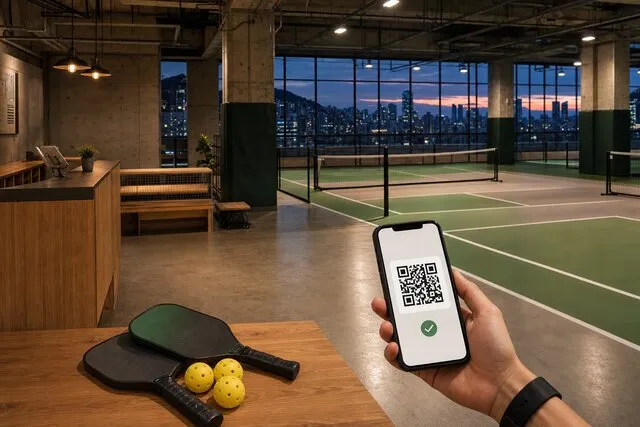
The wall QR is for booking. After confirmation, guests scan themselves in from 15 minutes before start until 30 minutes after. We install the scanner on the door front.

The expensive part of a venue is often not the lock. It is someone sitting at the door for every session. Shared PINs leak. Old screenshots get reused. A dead phone turns into a hunt for spare keys.
Hong Kong courts, gyms, classrooms and treatment rooms are asking the same thing: once the booking is confirmed, can the guest walk in themselves, with the desk only handling the misses?
Yes — if you keep the two QR codes apart, and if the scanner on the door is actually there.
The poster on the wall will not open the door
The QR on the glass or the court fence is for people who have not booked yet. It opens the booking page: pick a slot, pay, leave details. It should not unlock the door.
The door needs the entry QR on the guest’s phone. That code appears only when the booking is confirmed, and only from 15 minutes before start. It stays up for 30 minutes after the session ends, then it is taken down. Pending, cancelled, completed and no-show stay blank.
Write both sentences at the venue: “The poster is for booking. Show the code on your phone to get in.”
How a guest actually arrives
- Booking confirmed. Paid and marked confirmed. No code before that.
- Wait until 15 minutes before start. Tomorrow’s class does not show today. Too early, they wait.
- Open the entry QR. The booking on the phone, or a WhatsApp / SMS link. No app, no extra login. A late friend can use the same link.
- Hold it to the scanner on the door front. A successful scan opens the door. They can scan again in the window — glare, a miss, or stepping back out will not kill the ticket.
After the 30 minutes past the end, a leftover screenshot will not open the door. Later than that, the desk opens it.
What goes on the door
We install a QR scanner on the door front. The guest shows the phone QR; a successful scan opens the door. The venue does not have to source door hardware first.
If the scanner misses, the desk opens the door once from the system. A dead phone should not mean finding the keys.
Before going live, the venue still owns its safety questions: power cuts, emergency exits, building management and insurance. The scanner opens the door in the session window. Building rules and emergency egress stay venue policy.
Four questions operators actually ask
Does someone have to sit at the door?
For most hours, no. Confirmed guests scan themselves in. The desk handles early arrivals, late ones, missed scans and disputes. Cleaning, incidents and security still need an owner — they do not need a person in the chair for the whole session.
Do guests have to download an app?
No. They show the QR from the booking on their phone. A WhatsApp or SMS link lasts about a day; the entry QR still only appears in the session window.
What if they arrive early or late?
The QR appears 15 minutes before start and stays up for 30 minutes after the end. Too early, the screen is blank. After the window, the desk opens the door from the system.
Will the booking poster open the door?
No. That code is for placing a booking. See QR self check-in. For a court-by-court launch sequence, see Hong Kong pickleball QR operations.
Who this is for
This path fits venues with clear slots, pay-before-entry, and no appetite for a person at the door all session: courts, fitness and classes, classrooms, some treatment rooms.
It does not fit treating “self check-in” as “nobody is responsible.” Self-service removes routine unlocking. It does not remove the venue’s duty of care.
FavCRM’s booking system runs the slots and the payment. QR self check-in lets a confirmed guest scan themselves in; we install the scanner on the door front. Book a demo and we look at how you open up today.