WhatsApp / 7 min read
WhatsApp CRM in Hong Kong: A Service Business Guide
A practical guide to WhatsApp CRM for Hong Kong service businesses: shared inboxes, customer records, official API workflows, approvals and follow-up.

For many Hong Kong service businesses, the customer journey starts in WhatsApp. A customer asks about a treatment, lesson or consultation, checks a time, then returns to the same chat to reschedule or ask what happens next.
The problem is rarely the chat itself. It is everything around it: knowing who the customer is, what they booked, whether they paid, who last replied and what the team promised.
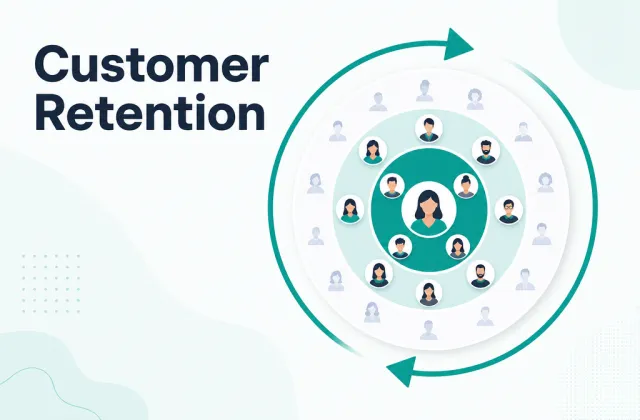
A WhatsApp CRM connects each conversation to a customer record and an operational workflow. It gives a team one place to handle messages while keeping bookings, payments, notes and follow-up in context.
WhatsApp Business App or WhatsApp CRM?
The WhatsApp Business App is often enough for a solo operator with a small, manageable message volume. It provides a business profile, labels, quick replies and basic catalog features.
A CRM becomes useful when several people need to work from the same number, when a customer can speak with different team members, or when conversations need to trigger work outside the inbox.
| Need | Business App | WhatsApp CRM |
|---|---|---|
| One person answering messages | Good fit | Also possible |
| Shared team inbox | Limited | Designed for it |
| Conversation linked to booking and payment history | Manual | Connected record |
| Ownership and internal notes | Basic | Structured |
| Approval before sensitive messages | Manual process | Can be built into workflow |
| Reporting on unresolved conversations | Limited | Operational view |
The right choice depends on complexity, not company size. A two-person clinic handling sensitive follow-up may need more control than a larger shop with simple enquiries.
What a Hong Kong service business should look for
1. One customer record behind the conversation
A name and phone number are not enough. The useful record should show recent conversations, upcoming and past bookings, package or membership status, payments, consent and the next action.
This prevents a familiar problem: the customer has already explained everything to one colleague, then has to repeat it when another person replies.
2. A shared inbox with clear ownership
A shared inbox should answer three questions immediately:
- Who is responsible for this conversation?
- What is waiting for a reply or approval?
- When was the last meaningful action?
Assignment, internal notes and status labels matter more than a long list of decorative automation features. The aim is to stop two people replying at once—and to stop everyone assuming someone else has replied.
3. Official WhatsApp Business Platform support
For multi-user and system-driven messaging, confirm that the provider uses the official WhatsApp Business Platform. Ask how number onboarding works, who controls the business account, how message templates are approved and which charges come from Meta versus the software provider.
Rules and rates can change. A responsible provider should show the current terms during setup instead of hiding them inside a fixed marketing promise.
4. Cantonese and Traditional Chinese in real workflows
Language support is more than displaying a Chinese interface. Test whether your team can:
- search and identify customers using Chinese and English names;
- store the phrases your staff actually use;
- draft and review Traditional Chinese messages;
- switch naturally when a customer mixes Cantonese, English and written Chinese.
AI-generated text should remain a draft until the team is satisfied with tone and accuracy.
5. Human approval for important actions
Appointment reminders can often follow a clear rule. Discounts, refunds, complaints and sensitive customer conversations need more judgement.
A practical workflow separates low-risk preparation from consequential action:
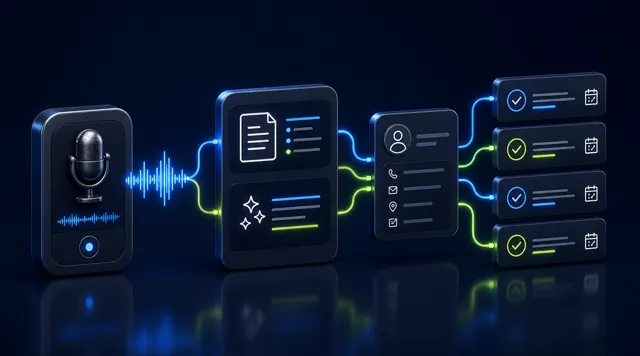
- the system gathers the relevant customer context;
- AI drafts a reply or suggested next step;
- a team member reviews anything sensitive;
- the approved message and action are recorded.
This is more useful than promising complete autonomy. It makes the team faster without making accountability vague.
Four workflows worth implementing first
Enquiry to confirmed booking
Connect a WhatsApp enquiry to the customer record, show valid availability, confirm the chosen service and collect a deposit when required. The booking should then appear in the same record as the conversation.
Appointment reminder and rescheduling
Send a timely reminder containing the date, time, location and a clear rescheduling route. When a customer changes the booking, the record and availability should update together.
Package or membership follow-up
Use actual package balance or expiry information to prepare a relevant message. Avoid sending the same broadcast to every customer when the system already knows who has one session left or who has not returned.
Unresolved conversation review
Give the team a daily view of conversations waiting for a customer, waiting for staff or waiting for approval. This small operational habit is often more valuable than adding another chatbot.
Questions to ask in a demo
Use a real customer scenario rather than accepting a generic feature tour:
- Can two team members see and work from the same conversation safely?
- Does the customer record show booking, payment and package context?
- Can the team identify messages that still need a reply?
- Which actions can require human approval?
- Can data be exported, and who owns the WhatsApp business account?
- Which fees come from Meta and which come from the provider?
- What happens if the connection or automation fails?
The practical conclusion
The best WhatsApp CRM for a Hong Kong service business is not the one with the loudest chatbot claim. It is the one that keeps the conversation connected to the real customer journey and makes responsibility visible.
Start with one workflow—such as enquiry to booking or package-expiry follow-up—and make it reliable. Then add more modules without splitting the customer record again.
FavCRM connects WhatsApp customer follow-up with bookings, payments and AI-assisted work in one platform. Important messages and actions can remain under human approval. Book a demonstration to walk through the workflow using your own business scenario.