
INDUSTRY / INDOOR PICKLEBALL
Pickleball court booking system
Let players find an open court, pay online and scan in when it’s time to play. No waiting for a WhatsApp reply.
- Online court booking
- Time-slot pricing
- Group classes
- Membership payments
- 24/7 QR access
- AI agent
Charge different member rates on weekday afternoons and after work. Cap attendance for beginner classes and block coaching time on the court calendar.
FAVCRM DEMO VENUE / MOBILE SCREENSHOTS
See what players can check before signing in
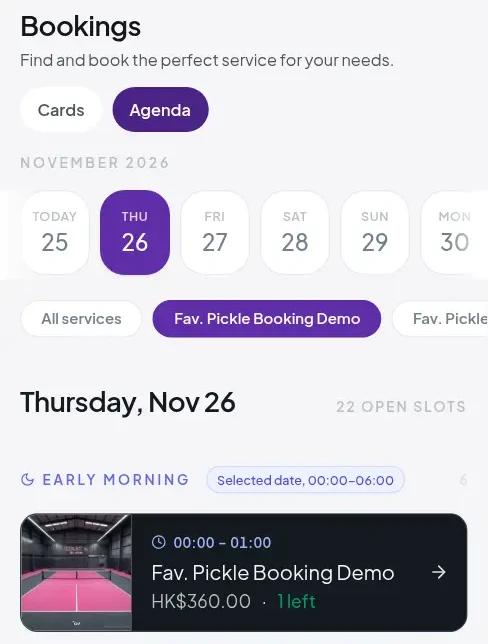
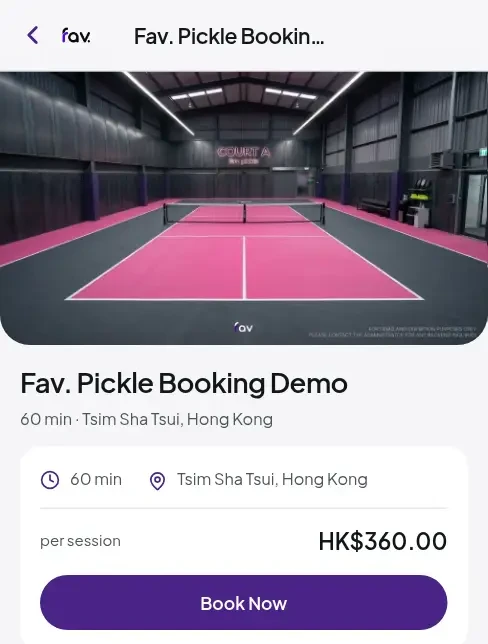
Players sign in after picking a slot. Dates and rates are demo data. These screens do not show payment, pack redemption, or door entry.
From choosing a court to getting through the door
The mobile screenshots stop at sign-in. With payments and compatible door hardware enabled, players can pay online or redeem a pack, then scan in for a confirmed booking.
- 01
Find an open court
Players open your branded booking page on their phone to see openings and rates. Once an eligible member signs in, checkout applies their rate for the selected time.
- 02
Pay online or use prepaid hours
Casual players pay using your venue’s checkout. Members can redeem hours from an eligible prepaid pack instead of paying again for that booking.
- 03
Open the timed QR pass
Once the booking is confirmed, players can open it in their browser or use a WhatsApp entry link. The QR appears in the configured access window.
- 04
Scan in at the entrance
Players scan at a compatible door reader. No app to install. For early arrivals or failed scans, provide a clear way to contact venue staff.
Give the front desk fewer jobs
Replying to “Is there a court free tonight?”
Send one booking link showing court availability and prices, instead of answering each message.
Chasing membership fees and counting hours in Excel
Take membership and renewal payments online when enabled. Sell prepaid court hours separately and deduct them on eligible bookings.
Counting class places and keeping a court free for coaching
Publish the class timetable with a seat limit. If a class uses a rental court, block that time in the court calendar before opening sign-ups.
Opening the door after the desk closes
Use timed QR passes for confirmed bookings. If the venue opens around the clock, configured access works for overnight slots too.
An AI agent that can look up and manage bookings
Connect Claude or ChatGPT and choose what it can read or change. Try: “List tonight’s confirmed bookings and flag members with prepaid hours running low.”
What the AI agent can do
- Read today’s bookings and pack balances with read-only access
- Reschedule a booking with booking-management permission
- Create renewal tasks and draft WhatsApp follow-ups with CRM access
What your team controls
- Decide what the agent can read or change
- Enable Approval Guard to review supported outbound messages and sensitive changes
- Handle refund exceptions, custom discounts and door faults
From court pricing to class booking
Set rates per court, vary member prices by time slot, and take bookings for coaching sessions. Add court-hour packs, self-serve entry and AI tools as needed.
- Court booking and time-slot pricingSet availability and a base rate for each court. Configure peak and off-peak rates by membership tier, day of the week and time; checkout applies the matching rule.→
- Pickleball group classes and class passesSchedule beginner clinics or weekly coaching with a seat limit. With class booking enabled, signed-in players can reserve a place using an eligible class pass.→
- Membership payments and prepaid hoursLet members pay fees or renew in the member portal when enabled. Set which bookings can draw down prepaid hours.→
- 24/7 QR self-serve entryIssue a timed entry pass for a confirmed booking. Requires a compatible, configured door reader and an on-site test.→
- AI agent and approvalsCheck bookings, reschedule when authorized, and prepare renewal follow-ups for review.→
FAVCRM MERCHANT PORTAL / DEMO SETTINGS
How operators set court rates and class sizes
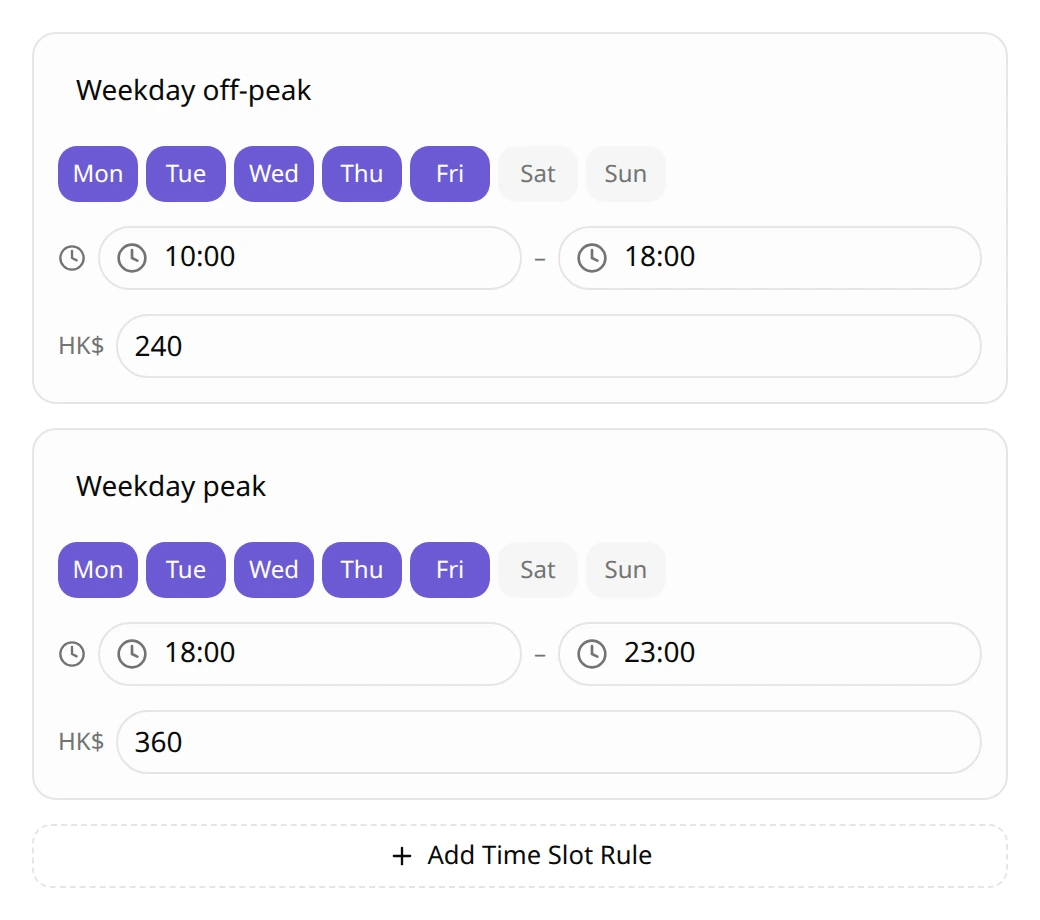
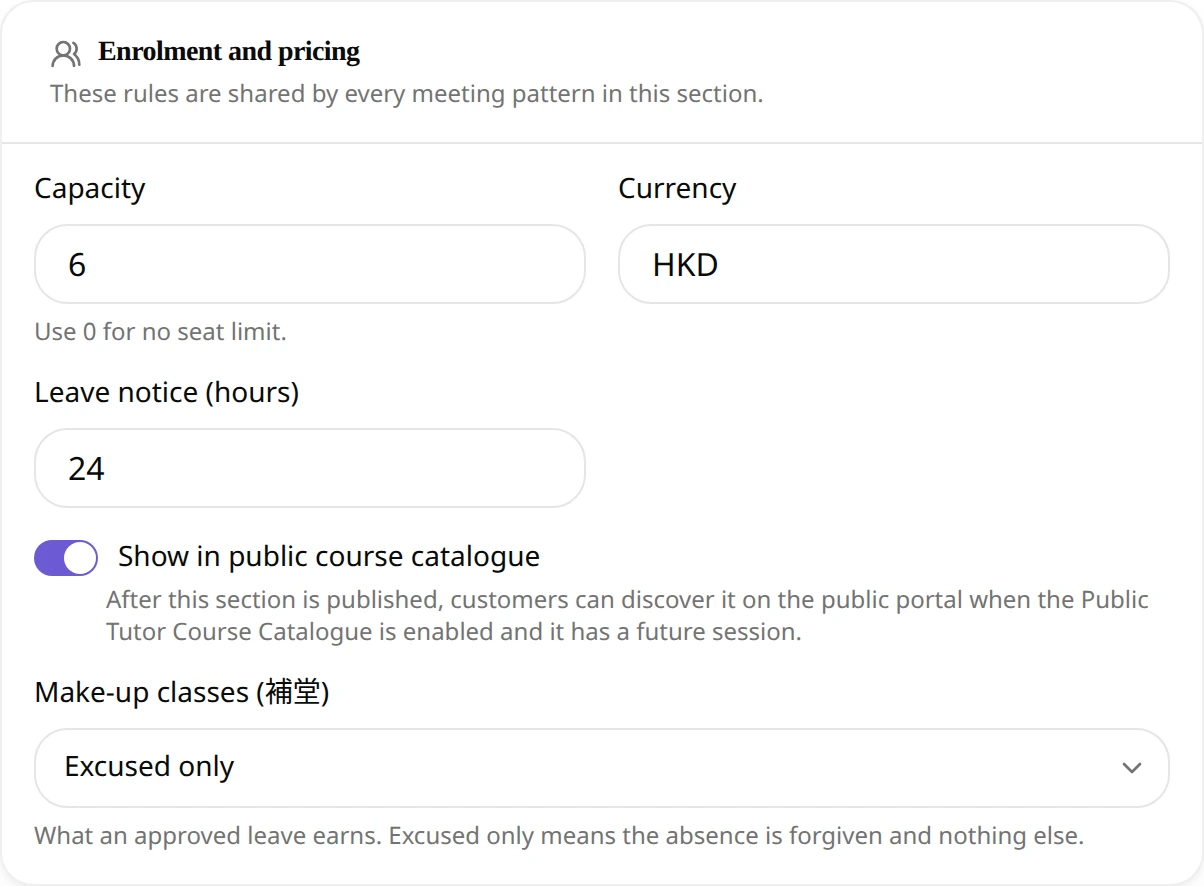
The screenshots use sample rates and class settings, not a live tariff or bookable class.
Pickleball venue FAQs
Can players see availability and pricing without signing in?
Yes. In the FavCRM demo venue, players can filter open slots by date and court, then view the location, session length and price. They sign in after selecting a slot.
Can I charge different rates for peak and off-peak court bookings?
Yes. Set a base rental rate per court, then add time-slot rates by membership tier, day of the week and time. For example, a member can pay less on a weekday afternoon than in the evening. Bookings without an applicable member rate use the base rate unless a separate pricing period overrides it.
Can I run beginner pickleball classes with a seat limit?
Yes. Enable class booking, publish fixed-time or recurring sessions, and set the number of places. Players sign in to book eligible sessions with a class pass. Class passes are configured separately from prepaid court hours.
How do I stop a class and a rental from taking the same court?
Block the coaching time in the court rental calendar before opening class sign-ups. A class seat limit controls how many players can join; it does not reserve the rental court.
Can members and casual players use the same booking page?
Yes. Casual players pay per booking. Members can redeem prepaid hours on eligible courts and times. Membership fees and court-hour packs can be set up separately.
Does 24/7 QR access mean every pass works all day?
No. Late-night bookings can use QR entry, but passes are only issued for confirmed bookings. The default display window starts 15 minutes before play and ends 30 minutes after. Confirm your reader and venue configuration.
Can I reuse my existing door hardware?
We’ll first check the reader, lock and network. Test a normal scan, an early arrival and a failed scan before opening a slot without staff on site. Keep a clear way for players to reach someone for help.
Will the AI agent send renewal messages on its own?
Drafting is not sending. Available actions depend on the plan and permissions. With Approval Guard enabled, supported outbound messages wait for team approval. Choose read-only access when you only want booking summaries.